



I’ve always been fascinated by technology and its innate promise of making our lives easier and more productive. Computers have certainly filled a niche in our collective existence, a niche that, before they became pocketable, we didn’t even know was there. And now artificial intelligence (A.I.) appears to be the next technological frontier humankind is exploring.
Back when computers were infiltrating every nuance of our daily lives, many feared them, and for good reason. Computers have replaced humans in many ways, from calculating rocket trajectories, once the exclusive job of human calculators (see the movie, Hidden Figures), to digitally checking out and back in library books.
There was a period where no one really knew or fully understood the impact computers would have on us . Many industry pundits lamented the loss of the handwritten letter, books with paper pages, even artistic creativity. We would become plugged-in, tuned-out drones enslaved to our digital overlords.
Well, some of that has happened. Walk down any street in the world, and you’re bound to see someone staring, zombie-like, at the screen of a mobile phone. In many households, kids trash-talk while they annihilate their digital adversaries/friends on 65-inch high-resolution displays. And a paper roadmap is about as hard to find these days as telephone booths.
And now it’s AI that has everyone pearl-clutching. It’s too soon to know if artificial intelligence will be the prophesied savior of mankind or our doom. Right now, I just want it to turn on my kitchen light when I tell it to.
As I’ve said, I’m all about technology, so when I moved into my new house, I wanted to imbue it with some smarts. I have all the core pieces to make it so; I just needed to get the smart accessories: smart doorbell, dimmers, fan controllers, and such. I figured that once I installed all of these smart devices, my house would respond to my simplest request, and all would be right with the world. Or so I thought.
I’m an Apple fan, so it would only follow that my smart system of choice would be Apple-based. Apple’s smart environment is based on HomeKit, Apple’s version of Alexa, but somewhat more limited. HomeKit-compatible devices are not as plentiful as those for Alexa or Google Home. That’s changing, however, as more smart accessory makers adopt the MATTER standard, which attempts to make accessories usable regardless of whether you rock HomeKit, Alexa, or Google Home.
Still, the promise of smart devices and smart systems all working in digital harmony is not quite fulfilled. I believed that even without MATTER, there should be a way to connect any smart device to any smart system, and in theory, there is a way: a device called a bridge. What the bridge is supposed to do is span the gap between a device meant for one smart system, Alexa, for example, and the system you have that is not what the device is compatible with. After all, compatibility is really a software issue. The bridge understands and translates the protocols between the device and the system to achieve the desired action.
Again, that’s the theory. In practice, it becomes hit or miss. Let me give you an example.
I wanted to have some shades in my bedroom windows that opened at sunrise, closed at sunset, and responded to me telling them to open, say, 50%. I found MATTER compatible shades that might have worked, but they were rather pricey, and I am a man of meager means. So, I found a less costly solution that promised MATTER compatibility through an app called TUYA and a device called a WiFi bridge.
I bought the shades and the bridge. Installation and setup of the shades was easy. They come with remote controllers which allow you to define the upper and lower limits of the shades. Once set, you then connect the shades to the WiFi bridge through the TUYA app. Again, this worked flawlessly. The app lets you raise and lower the shade from your phone, eliminating the need to use the physical controllers (one for each shade).
The first clue that something was amiss came when I realized that the included, and rather limited, documentation did not have any reference to HomeKit. Both Alexa and Google Home were mentioned, but that’s it. Through the TUYA app, there was no way for me to complete the integration of the shades into my HomeKit Home system.
Bummer!
I explored other apps and options, but nothing was either fully compatible, easy, or cheap. The best option was to buy a device called a HomeBridge, which, while not exorbitantly expensive, added a level of complexity I was hoping to avoid.
So, I decided that, while I further investigated my options for compatibility, I would at least set the TUYA app so that my shades opened and closed at sunrise and sunset, respectively. As you may have guessed by now, even that didn’t work as I had hoped.
It’s a hit or miss whether the TUYA app or WiFi bridge, maybe both, will open or close the shades. This morning, the shade both rose like they were supposed to.
Last night, however, only the left shade closed at sunset. I imagine my neighbors are thinking that my house is winking at them. Definitely not the effect I was aiming for.
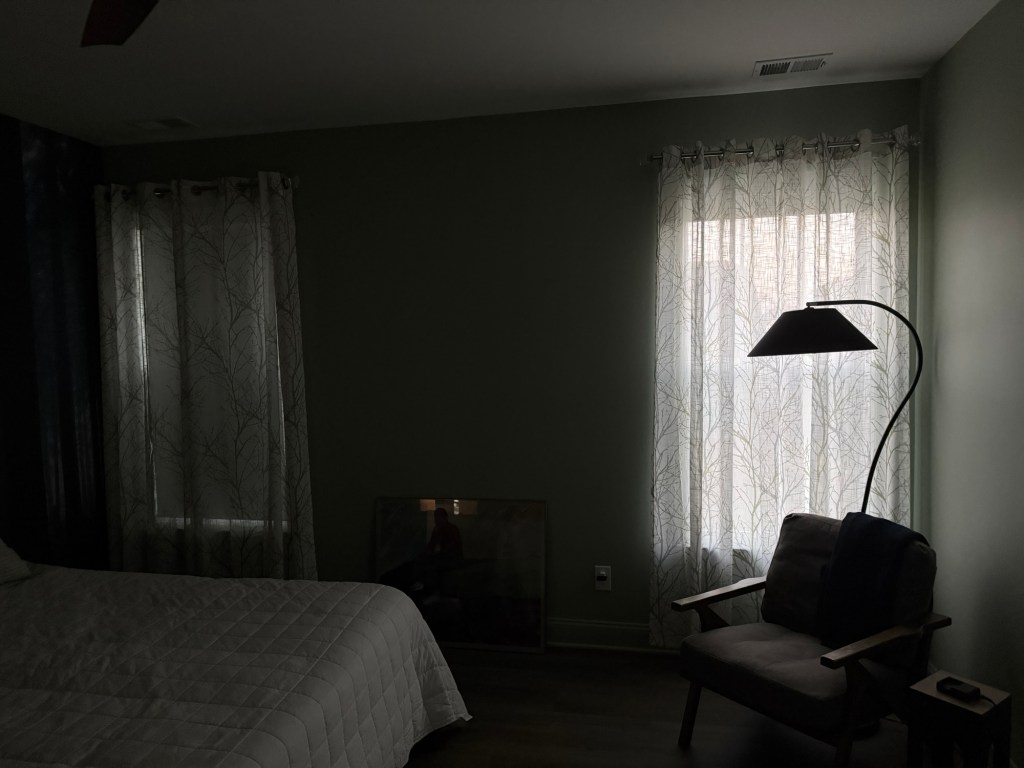
Another incident had me at wits’ end. HomeKit uses Siri to initiate voiced actions. I could say, “Siri, turn on the kitchen ceiling lights at 50%,” and HomeKit would activate the smart dimmer I had controlling my kitchen lights; they would blink on at half power. Perfect!
I have a similar setup in what the developers called my dining room, but I’m going to set it up as a small library. I have one of Apple’s HomePod Minis in that room; it provides music and Siri voice control. However, when I said, “Siri, turn on the library lights at 50%,” Siri would ask, “Do you mean lights?”
I’d say, “Yes,” and Siri would say, “That’s what I thought you meant.” Then nothing happened. The room would remain dark. I’d ask Siri to do it again, and I’d get the same response and the same inaction.
What the heck?!?!?
I’d do it again, and it would work like it was supposed to, but the next time I’d ask it to turn on the lights, it would give me that same stupid response. I got so aggravated that I started cursing at it. Siri would calmly say, “I won’t respond to that,” and go smugly silent.
It’s a sad state of affairs when your computer is apparently more emotionally intelligent than you are.
After mumbling a few more choice words, I made a few changes in how Siri understands commands, and now we get along just fine.
As to making my house smarter, the promise is there. I can get up at 2 a.m. with a desire for some tea and tell Siri to turn on the kitchen lights to 25%, and it does so, thankfully, without complaining. My doorbell tells me when a delivery has been made regardless of where I am. The MATTER compatible lamp in the family room turns on at sunset without fail, but my shades still wink at my neighbors sometimes, as though my house is letting them in on a joke.
Maybe my house is not so dumb after all.
Stay tuned.
Vern
 GoGeezer
Vern!Your Go Geezer article is too funny!! Steve and I aren’t as technically savvy as you are, but he likes some aspects of it. He decided we need a doorbell camera for the front and back doors even though nothing has happened in the 20 years we’ve lived here with our neighbors keeping an eye on the house while we’re away. Being a really frugal guy (cheap), he buys a Blink system at Best Buy. The salesman said it’d work well but has a subscription, plug in for flash drive, etc. Easy, peasy until the system decides to upgrade 6 months later and now nothing works as it should. Long story, short: he ended up forking out the $$ for a whole new Ring System including a backyard camera. Now he’s a happy camper and Alexa tells us when someone is at the door, or in the Garden and it rings and pings his phone every time one of us walks by. That happened quite a bit while I was moving my dahlias into the garage before the first frost. LOL He also bought a new thermostat for the heating/AC. Can’t wait to see how THAT works! LOL There’s a comic strip out there, Non Sequitur, that is a satire on AI and technology in general. Check it out; I think you’ll like it. Denise
Sent from the all new AOL app for iOS
LikeLiked by 1 person
Thanks Denise! Yeah, I used to read the Non Sequitur comics in the papers and loved it. Glad they’re still around.
Thanks for reading!!
LikeLike
Okay, I don’t know how many of your followers will appreciate this (well, knowing you, probably most), but I LOVED IT! Could not stop laughing (sorry, I know it was/is frustrating), and it further cemented my decision not to go smart home anything (almost).
Rosemary
LikeLiked by 1 person
Rosemary!
Good to hear from you.
I make it sound complicated, but it really isn’t if you don’t mind losing a bit of privacy. If you go with Alexa or Google Home then you’ll likely not run into any problems. If you go with Apple HomeKit then look for HomeKit or MATTER compatibility. You’ll be ok.
You can also avoid most of the smart stuff and just get a few connected devices, like a doorbell camera or thermostat. They come with their own apps and it easy to use them.
LikeLike
Nice piece ❤️M
LikeLiked by 1 person
❤️
LikeLike
I like the mix of optimism here about technology with the very real frustrations of trying to make everything actually work together. Nice one.
LikeLiked by 1 person